How to Checkout an Endpoint User to a Wallet for Secure Access?
Endpoint User Checkout is primarily done by the admin. To Checkout an endpoint user to a wallet follow these steps
How to checkout an endpoint user to an end user or to your wallet?
-
Log in to your Authnull admin dashboard.
-
Navigate to the “Privileged Access Management” section.
-
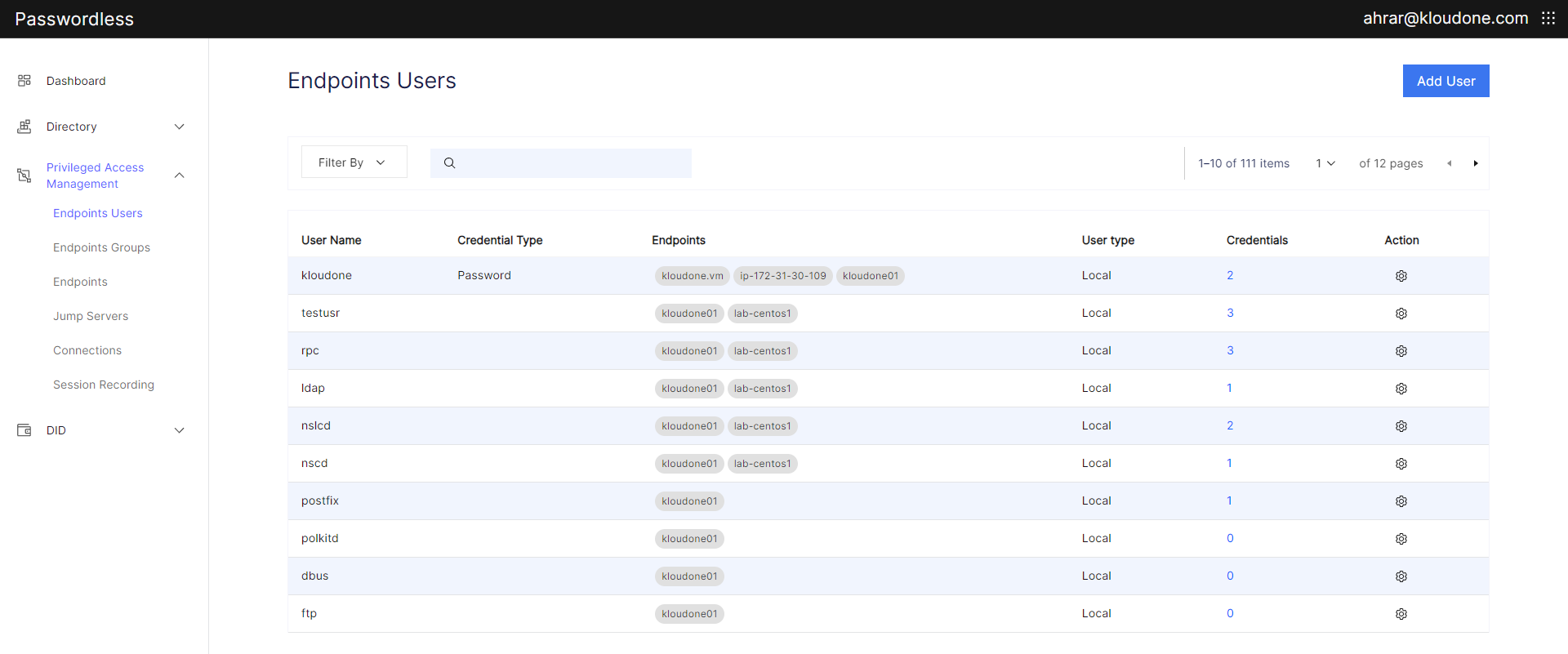
Access the “Endpoint User List” from the menu.
-
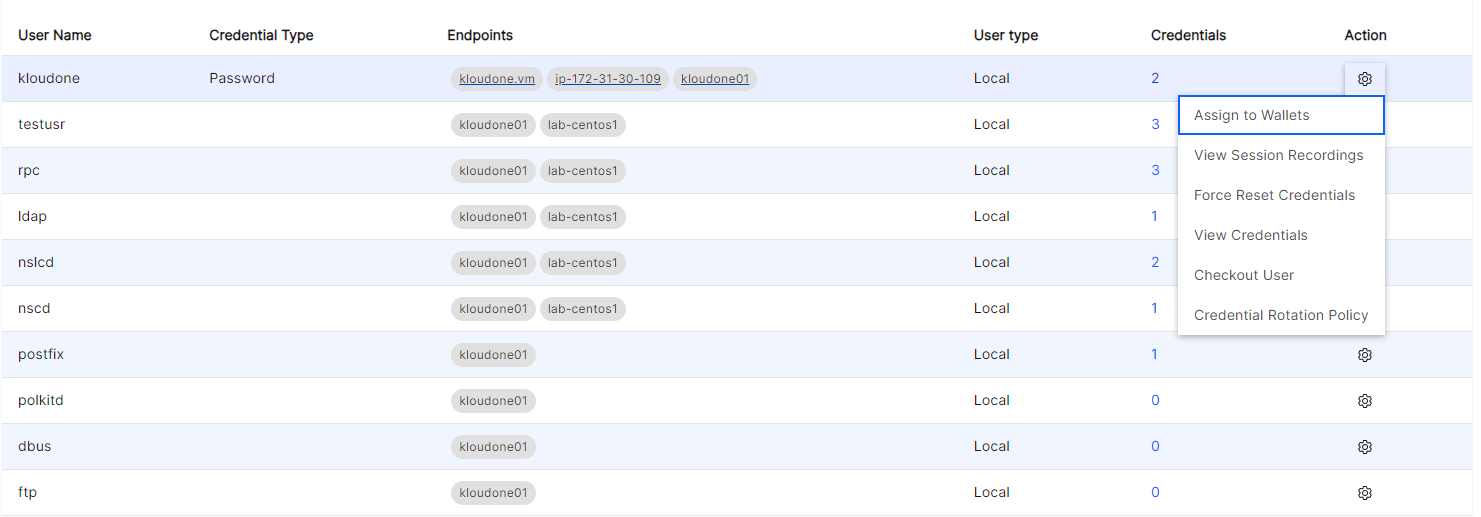
Within the “Endpoint User List,” locate the user you wish to manage and click on the “Checkout User” option available in the dropdown under the “Action” column.
-
Specify the assignment time limit for the verifiable credentials.
-
Select the desired protocol or service you want to create a connection for using the jump server.
-
Check out the endpoint user to a designated wallet assigned to another directory user or your own wallet.
-
Upon completion, the verifiable credentials will be received in the designated wallet (either end user or your wallet).
-
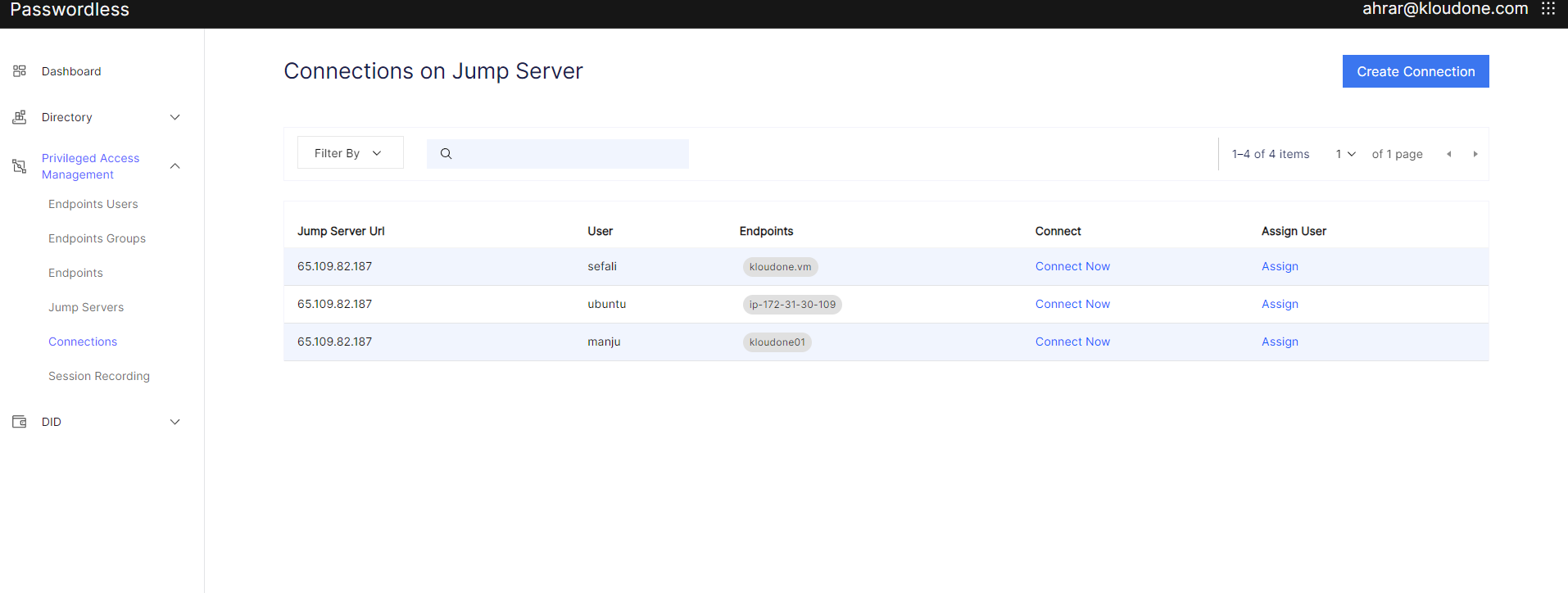
In the “Connections” screen within the “Privileged Access Management” section, select the desired connection and click on “Connect Now.”
-
If using the admin console, after the end user accepts the login request, a window will open up allowing the user to connect to the endpoint. (Note: You can assign the endpoint user to yourself and use the connection, this will prompt your wallet)
How to connect to an endpoint using assigned endpoint user credentials
-
Log in to your Authnull dashboard.
-
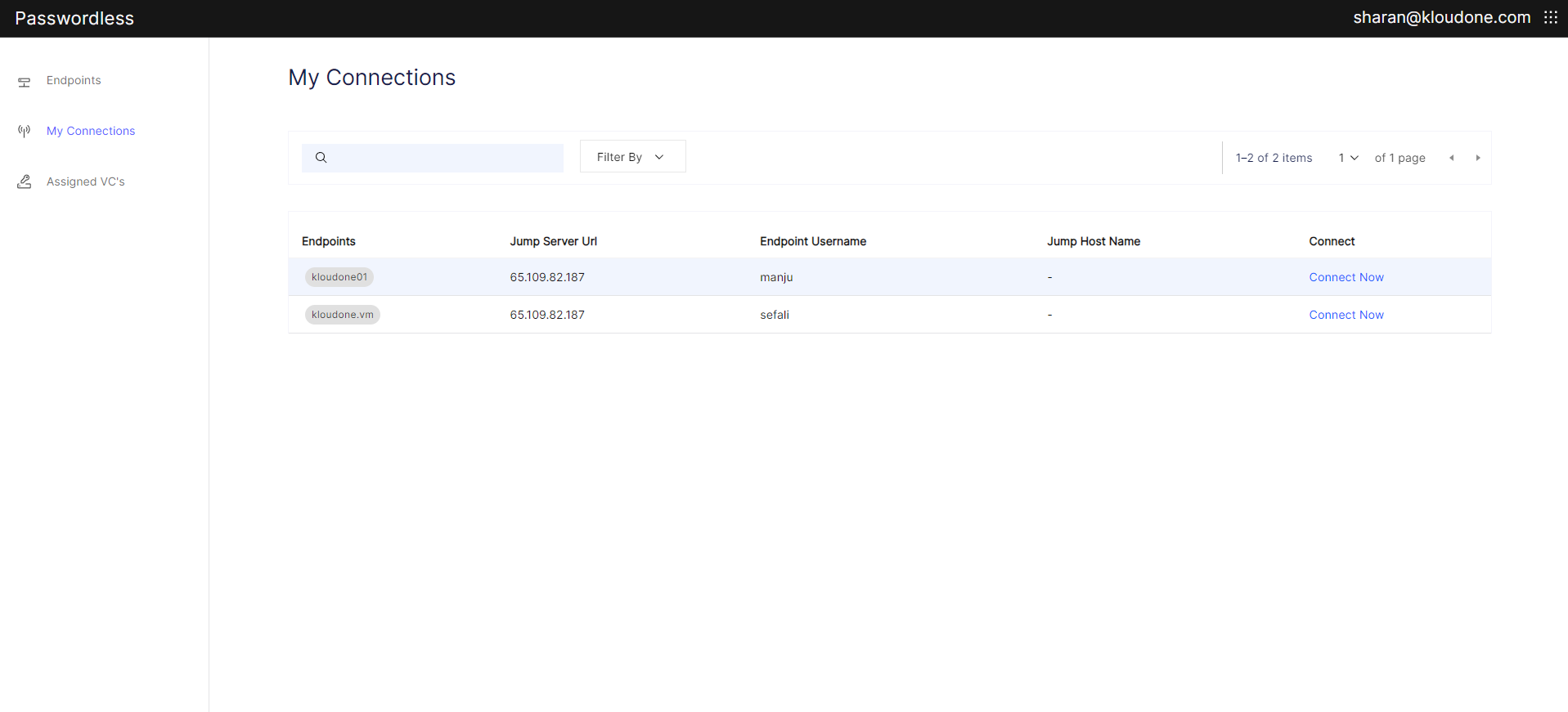
In your dashboard, locate and access the “My Connections” section.
-
Upon attempting to access a connection, you’ll receive a login request. Simply click “Accept” to proceed.
-
A window will open, allowing you to connect to the endpoint using the assigned credentials provided by the admin. You can now utilize the endpoint as needed.